部署 Node.js:先分清静态产物与服务端应用
按项目实际运行方式选择模板,核对命令、依赖与公开访问结果。
适用范围适用于 NewCP GitHub 部署。先确认节点有可用 Node 构建器;旧 IIS/iisnode 配置不能直接照搬到 Linux。
本页目录
开始前准备
- 查看 package.json 和框架发布方式。Vite 等静态项目发布构建产物;需要服务端执行的项目还需要启动命令。
- 确认 Node 版本、锁文件、项目子目录与环境变量。不要上传从不兼容系统复制的原生依赖。
操作步骤
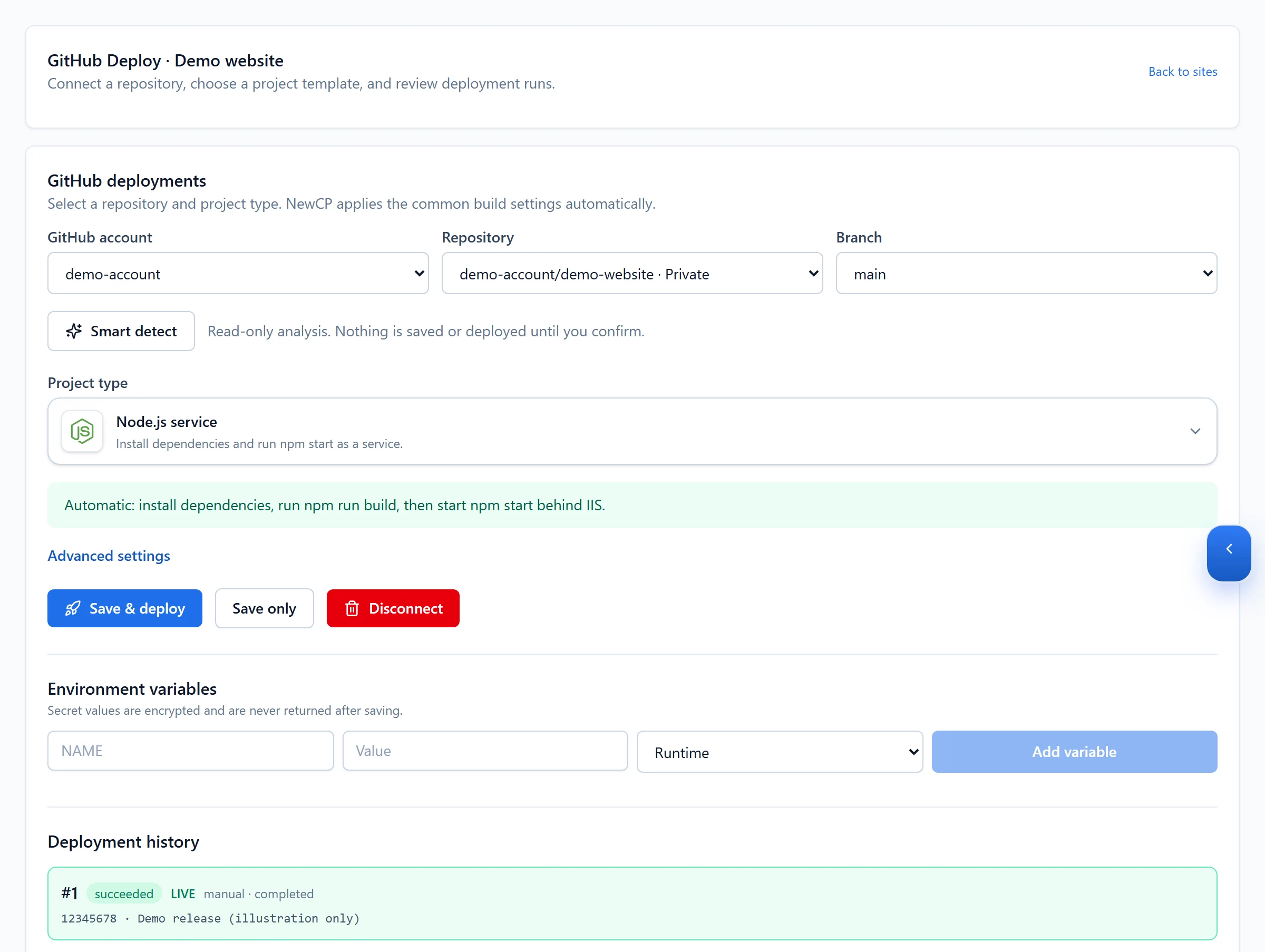
- 进入目标网站的 GitHub 部署,选择仓库、分支和项目根目录。
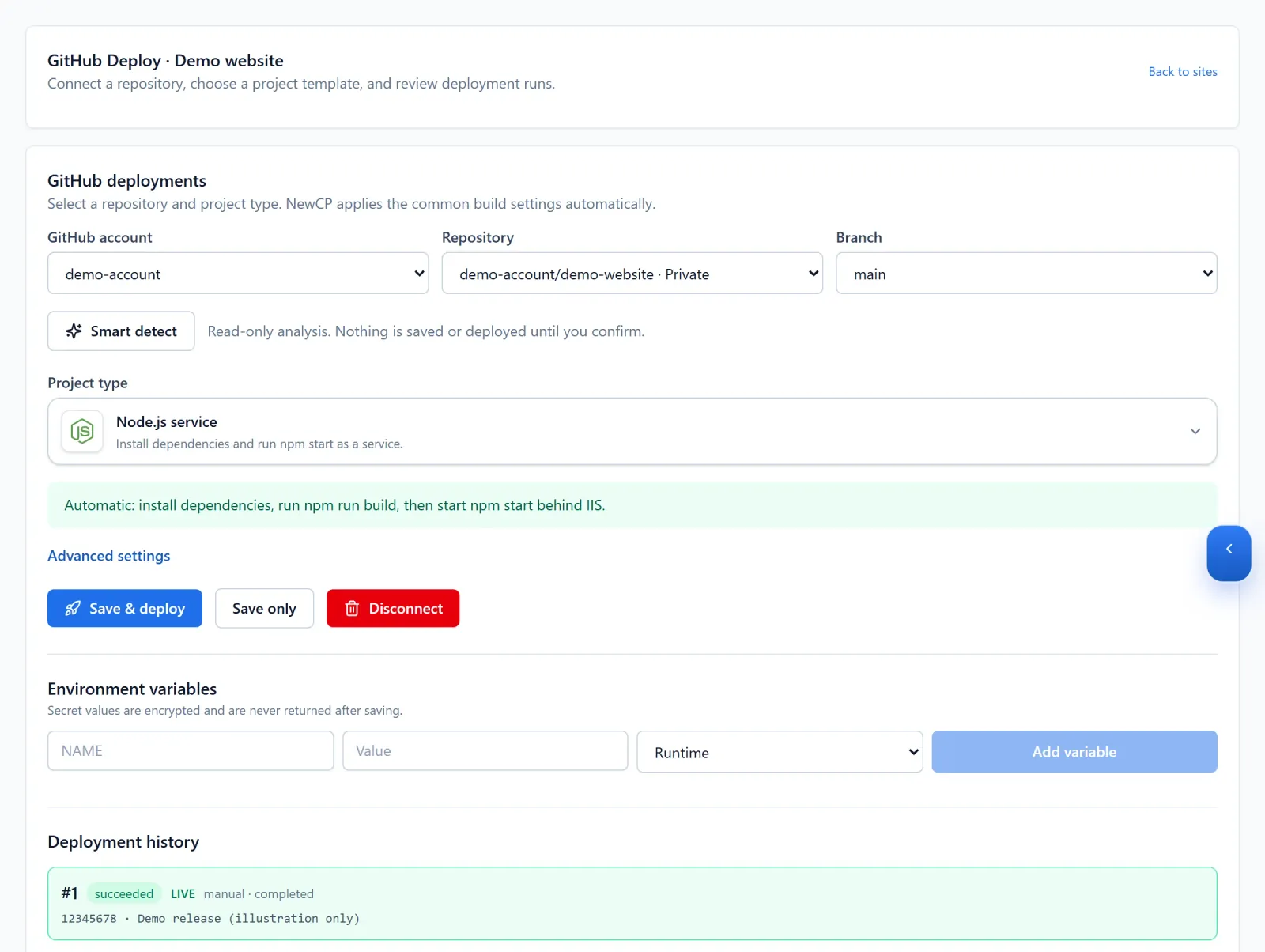
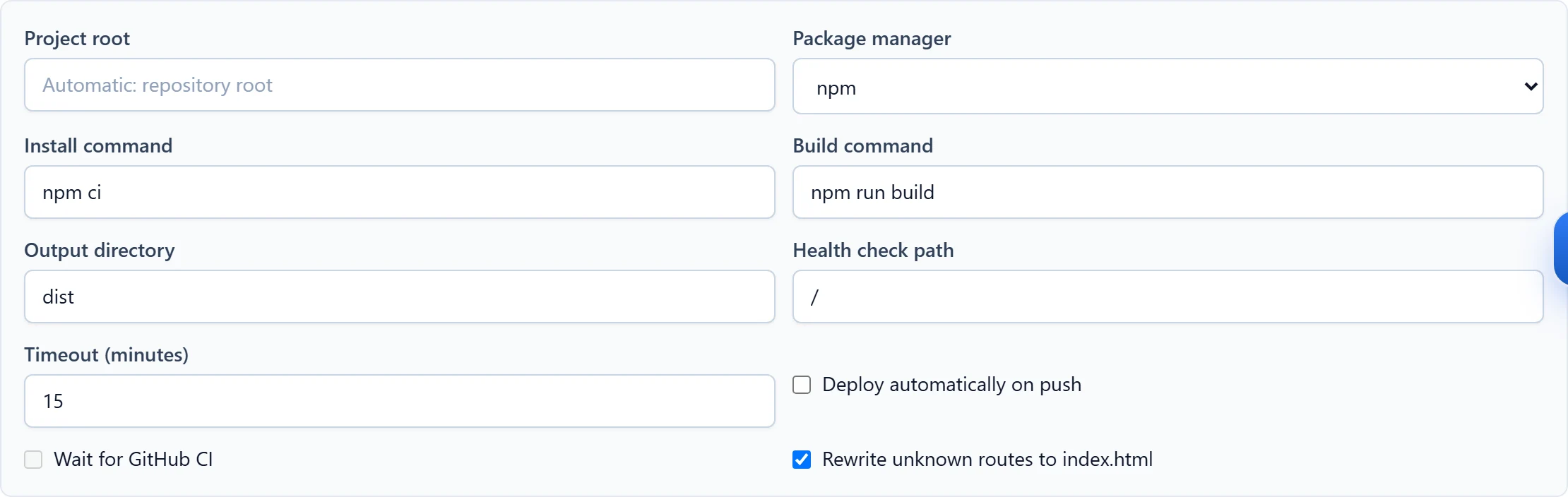
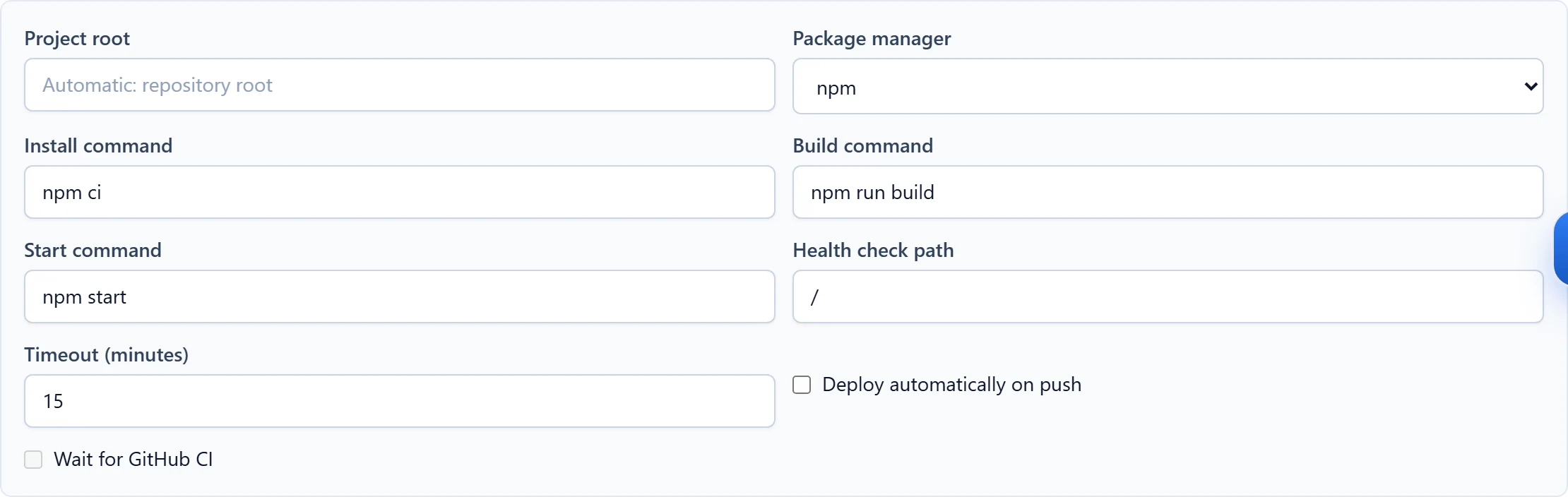
Figure 1: Choose the repository, branch and matching project type. This Node.js service configuration and its run history are demo data. 查看原图 - 选择与项目对应的模板,审核安装与构建命令。静态项目核对 dist、out 等真实输出目录;服务端项目核对运行模式和启动命令。
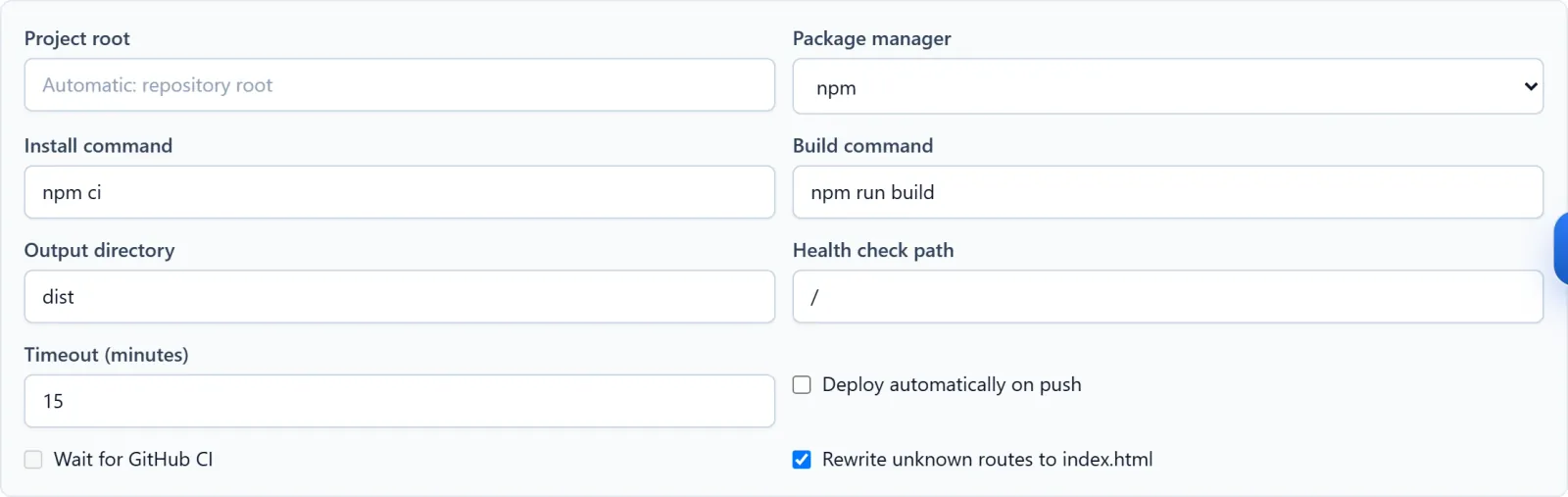
Figure 2: Static-output example: inspect install and build commands, the output directory and any route fallback. Demo values must be adapted to your project. 查看原图 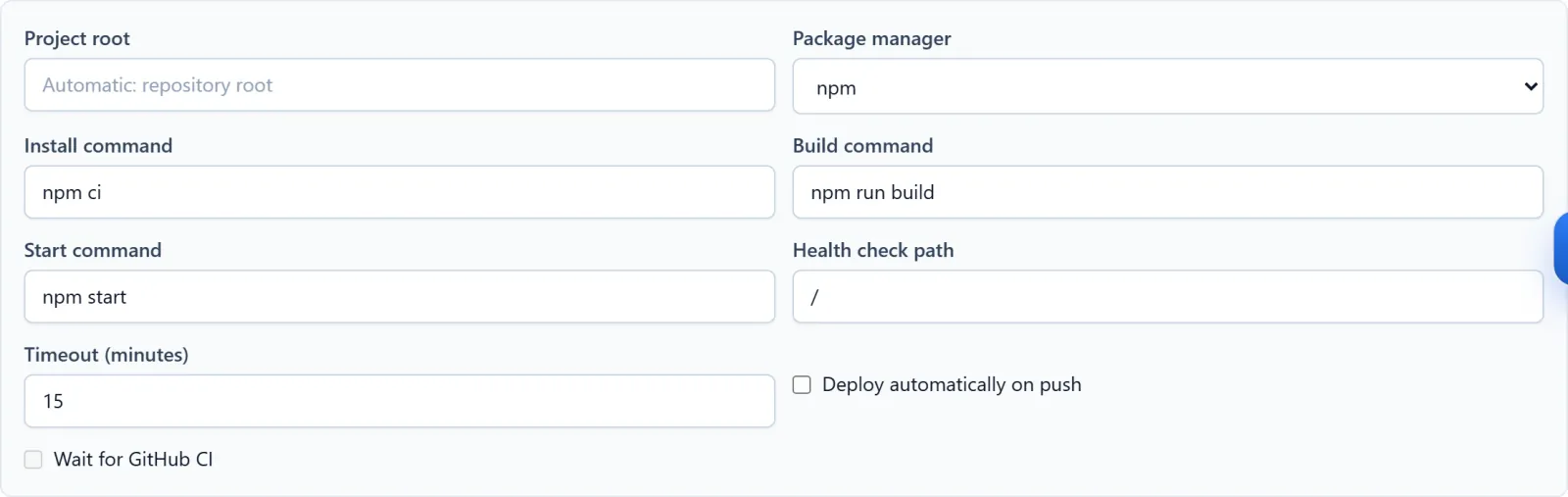
Figure 3: Server-app example: review the production start command as well as the build settings. Demo configuration; no process started or deployed. 查看原图 - 按节点提供的运行方式监听地址或端口,不使用开发服务替代生产启动。保存设置后发布并查看日志。
确认完成
- 发布成功后访问公开网址、内部路由和 API;确认必要的服务端请求实际成功,刷新页面也正常。
遇到问题时
- 构建失败检查依赖、版本和目录;启动失败检查生产命令、环境与监听设置。
- 静态项目深层页面 404 时检查路由回退是否符合框架要求。提供脱敏日志给支持,不要擅自套用 iisnode 的命名管道配置。