Deploy Node.js: static output or a server application
Choose a project template using the actual build and runtime requirements.
Applies toFor NewCP GitHub deployments with an available Node builder. Legacy IIS/iisnode settings do not transfer directly to Linux.
On this page
Before you start
- Inspect package.json and the framework release mode. Static projects publish generated files; server applications also need a production start command.
- Check the Node version, lockfile, repository subdirectory and environment variables. Native dependencies copied from an incompatible OS may fail.
Follow these steps
- Open the target site GitHub deployment and choose the repository, branch and project root.
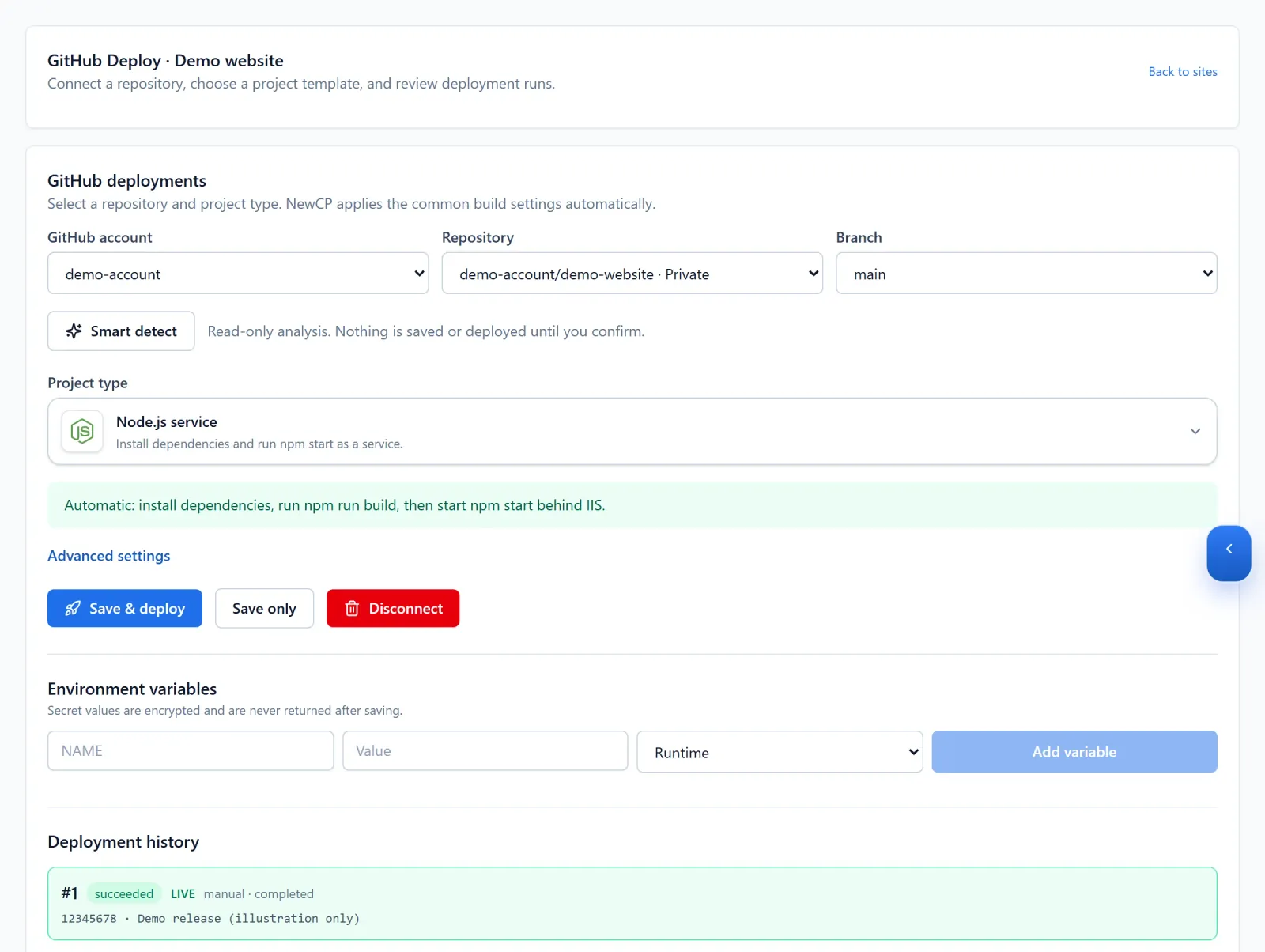
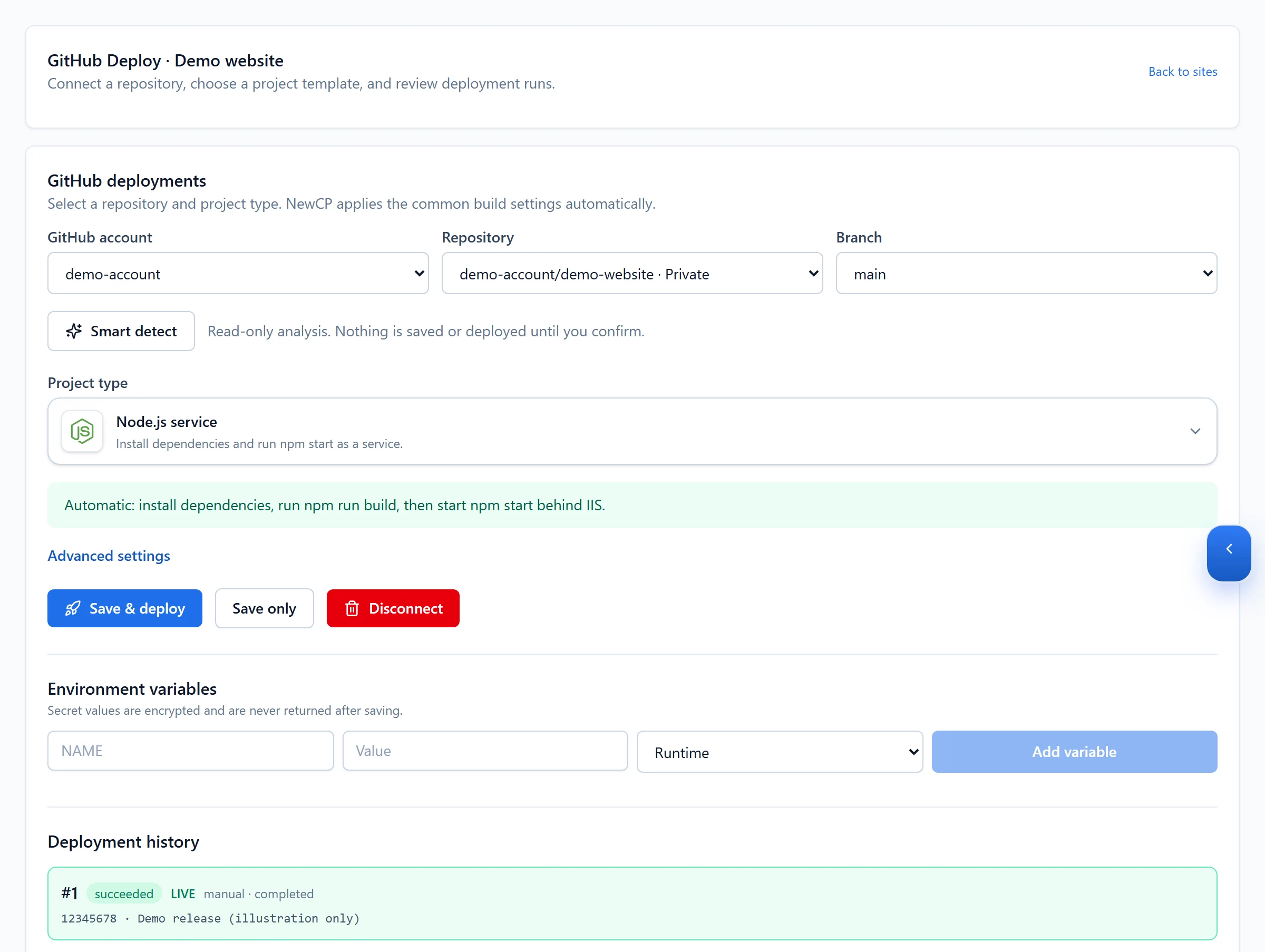
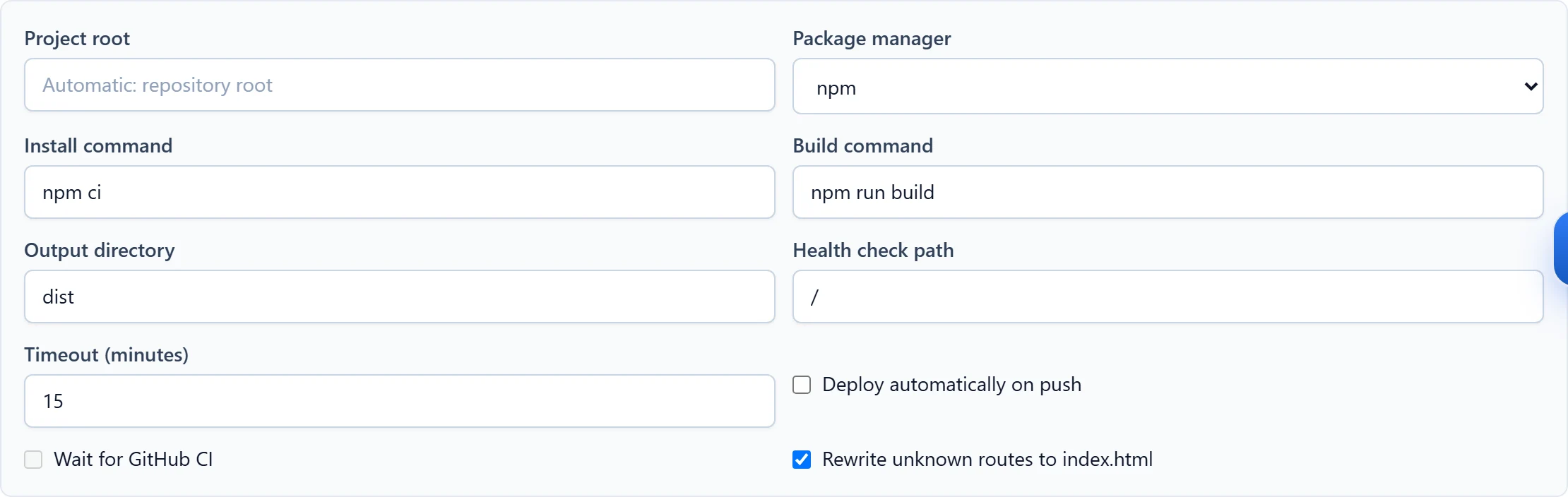
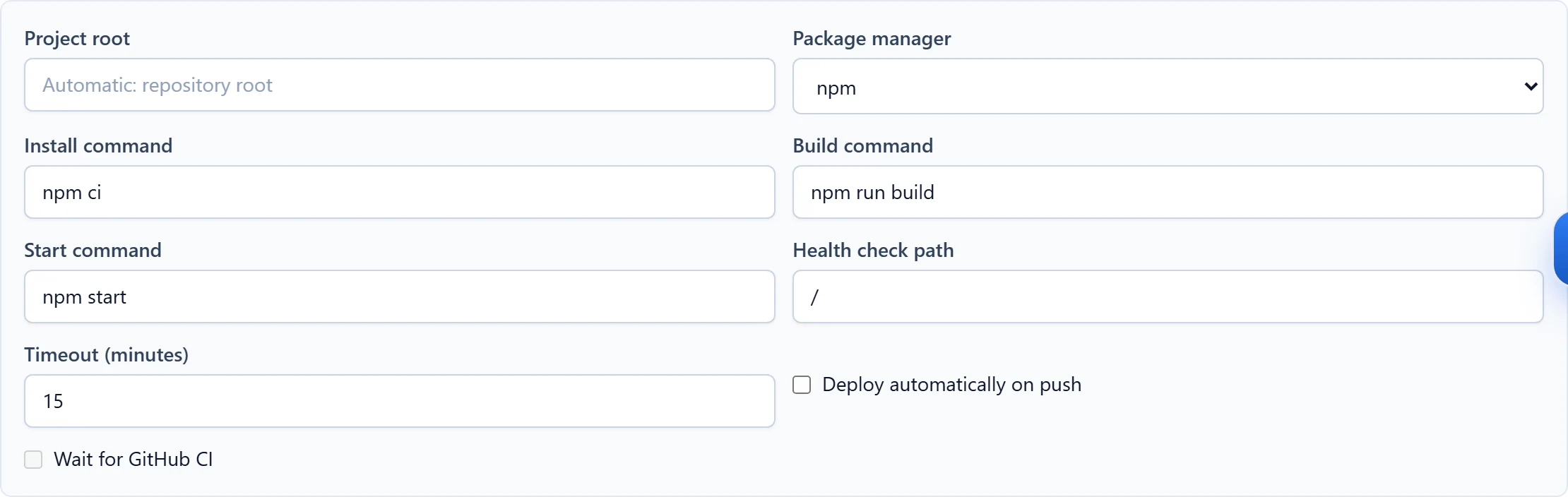
Figure 1: Choose the repository, branch and matching project type. This Node.js service configuration and its run history are demo data. View full-size image - Choose the matching template and review install and build commands. Verify the real output directory for static projects and the runtime mode and start command for server projects.
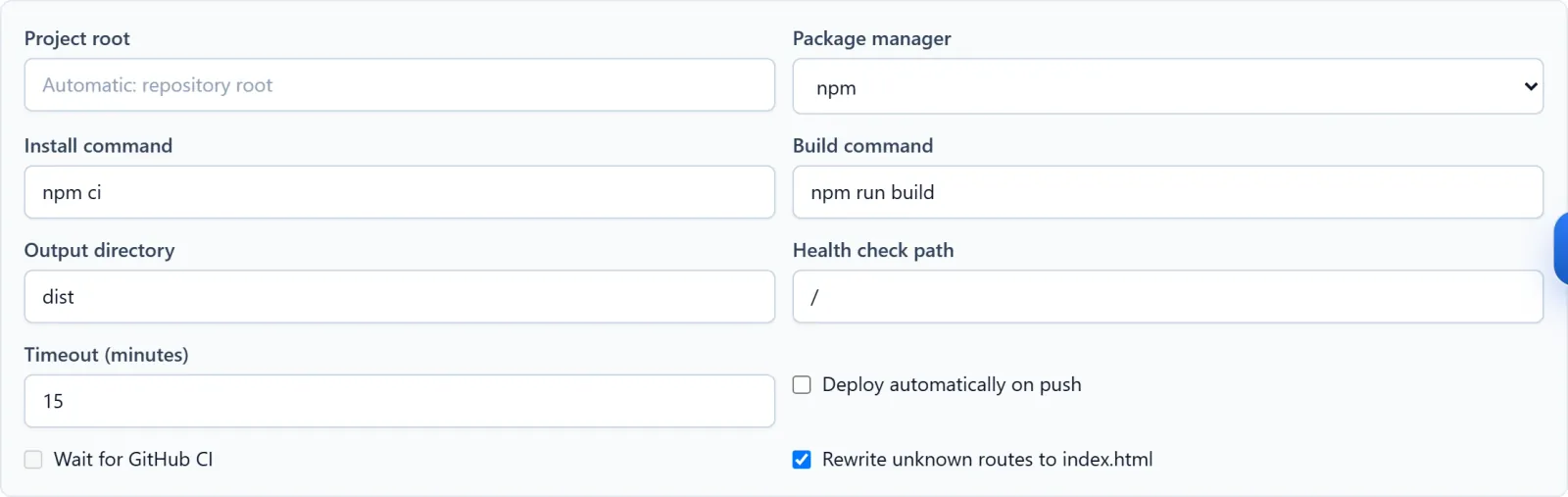
Figure 2: Static-output example: inspect install and build commands, the output directory and any route fallback. Demo values must be adapted to your project. View full-size image 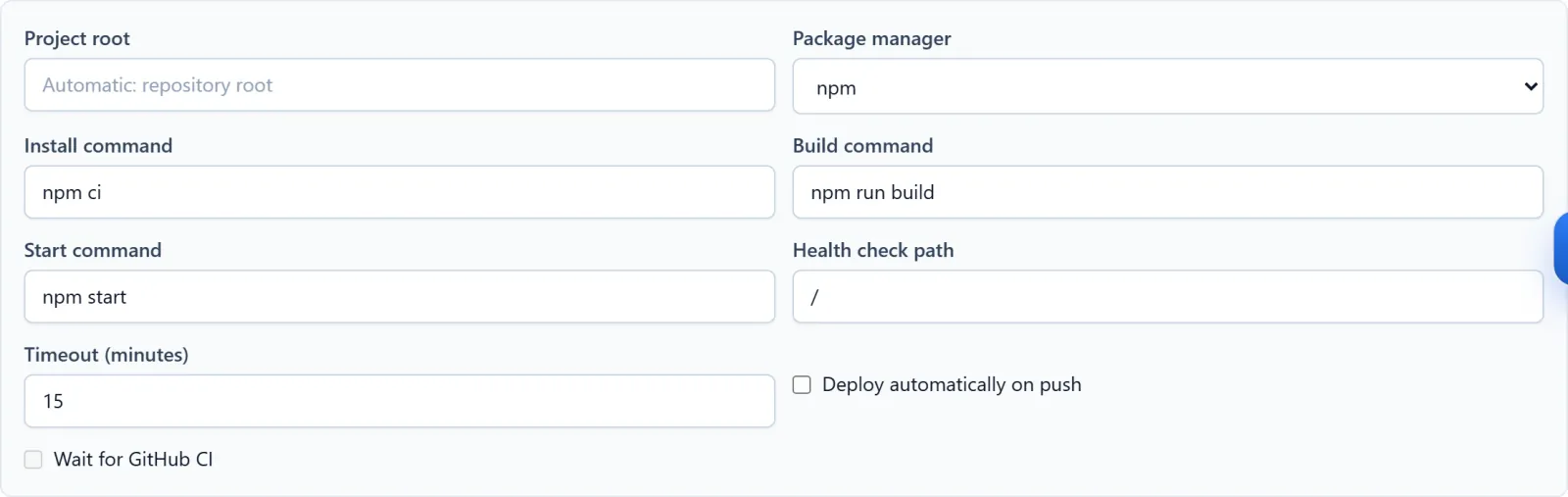
Figure 3: Server-app example: review the production start command as well as the build settings. Demo configuration; no process started or deployed. View full-size image - Use the listening configuration supported by the node and a production start command. Save, deploy and review logs.
Check the result
- Open the public website, internal routes and APIs. Verify a real server request when applicable and test page refresh.
If something goes wrong
- For build errors, check dependencies, versions and paths; for startup errors, check production commands, environment and listening configuration.
- For static deep-link 404s, review the framework fallback setting. Send redacted logs to support rather than copying an iisnode named-pipe configuration.