Deploy an ASP.NET Core application
Check the target runtime, project file and production configuration before publishing.
Applies toFor hosting nodes supporting .NET. Operating-system and runtime dependencies must match.
On this page
Before you start
- Identify the target framework, .csproj path and startup mode. Windows-only components cannot be assumed to work on Linux.
- Prepare server-side database settings and environment variables without committing production secrets.
Follow these steps
- For GitHub deployments, choose the .NET template and review the project and publish settings. Ask support if the required builder is unavailable.
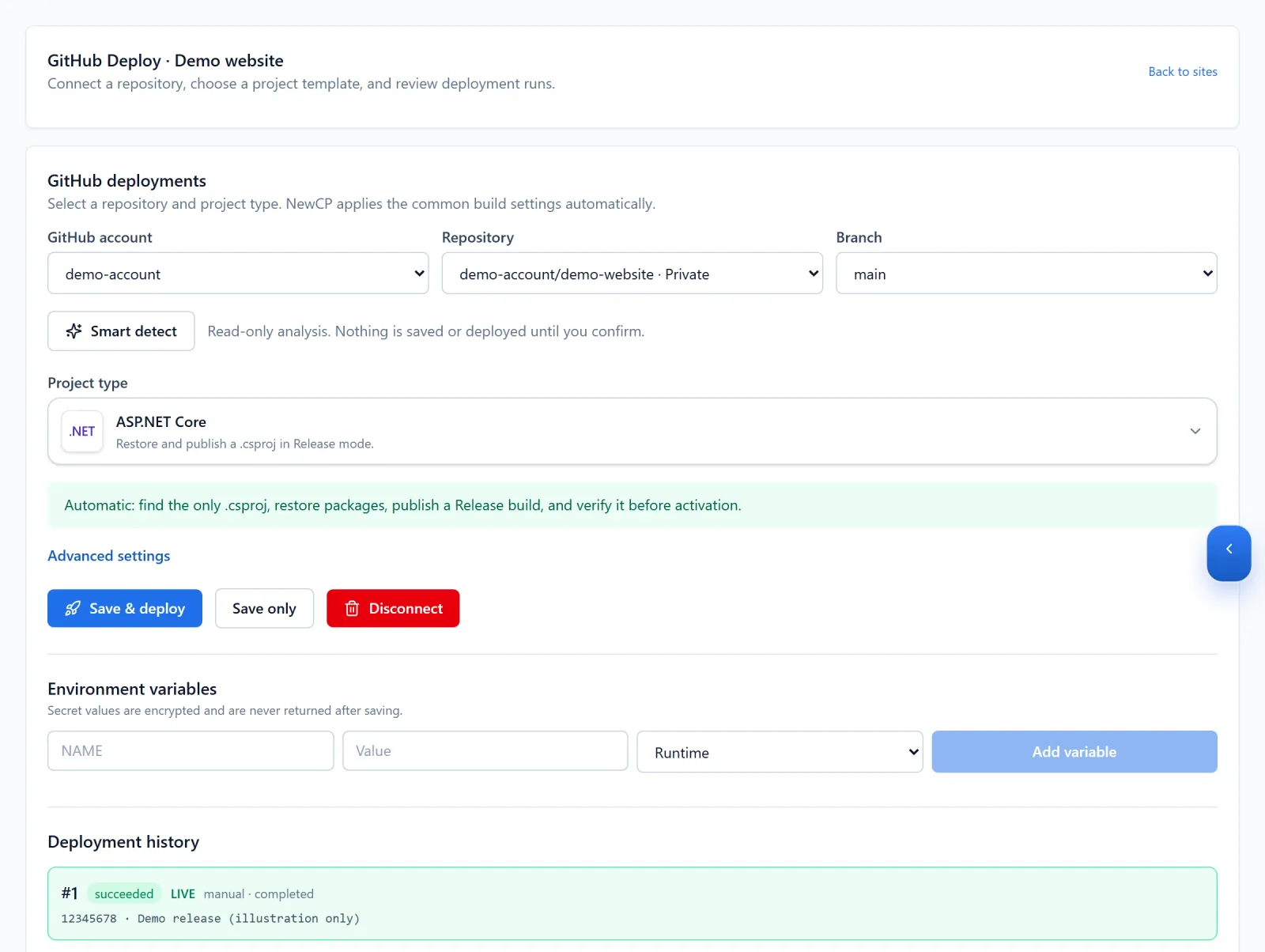
Figure 1: Select the ASP.NET Core project type and review the repository and branch. Availability and run history shown here are demo data. View full-size image 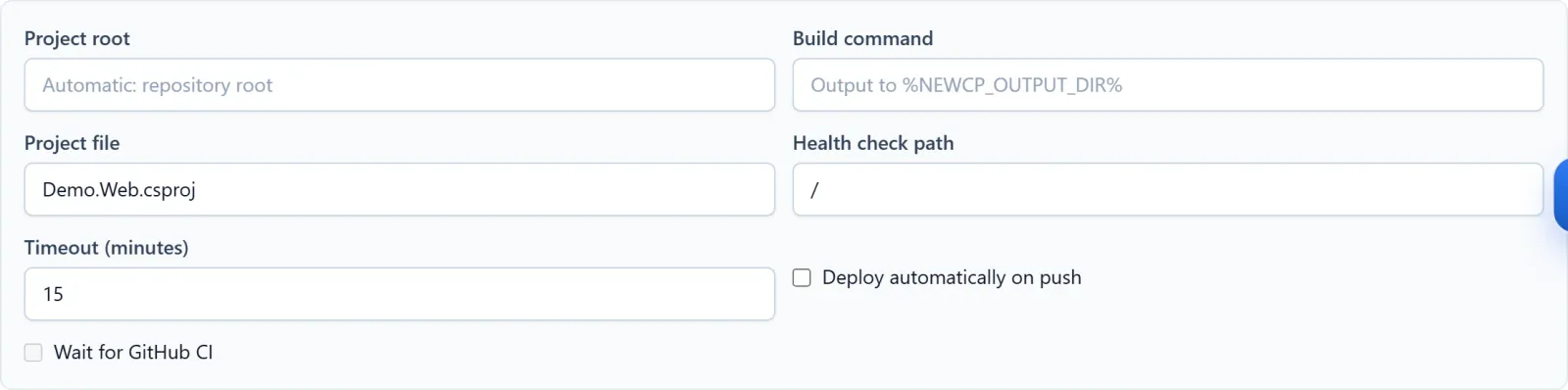
Figure 2: Advanced settings expose the project root, project file and health check. Match these to your own project and target environment. Demo configuration; no build or deployment performed. View full-size image - For manual publishing, upload dotnet publish output compatible with the target environment to the correct site. Handle IIS files and Linux startup configuration separately.
- Prepare database migrations, production variables and persistent-file locations before releasing.
Check the result
- Test the homepage, a database-backed request and any retained uploads, and inspect startup logs.
If something goes wrong
- For startup failures, inspect runtime compatibility, dependencies, permissions and production settings. Investigate database connectivity separately.
- Before reverting code, check schema compatibility. Give support the framework, OS, publishing method and redacted logs.