发布 Builder 网站:免费页面、自有主机或 FTP
根据当前可选目的地发布,并确认实际访问地址和覆盖范围。
适用范围适用于 Builder 发布窗口。免费、付费托管与第三方 FTP 是不同目标,按账号实际显示的选项操作。
本页目录
开始前准备
- 保存项目并检查需要发布的页面。记录当前网站,备份将被替换的文件。
- 免费发布的容量和可用状态以窗口显示为准;它不等于购买了完整付费托管套餐。
操作步骤
- 打开发布窗口。选择免费页面时先核对当前已发布项目和替换提示;替换会更新该免费地址的内容。
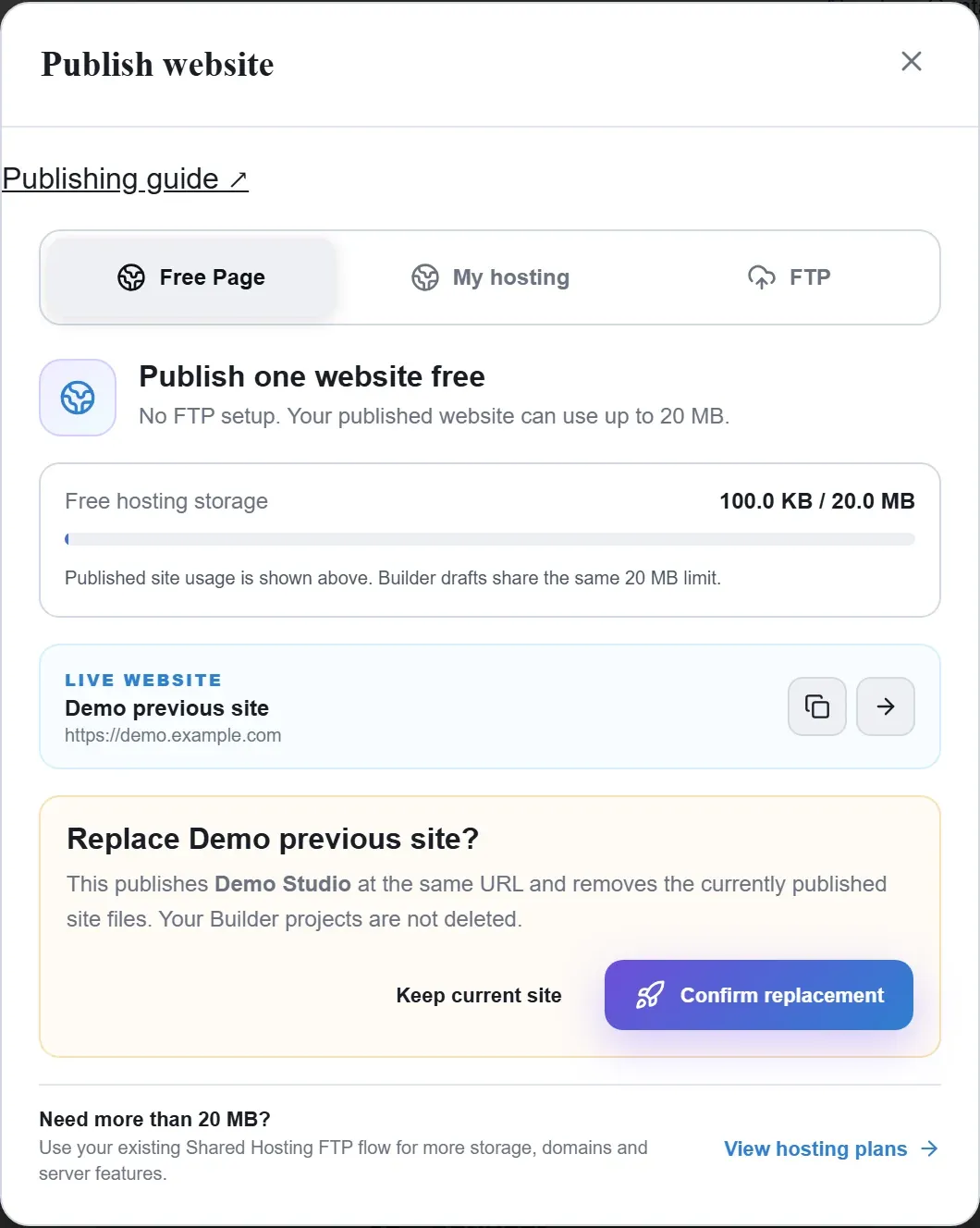
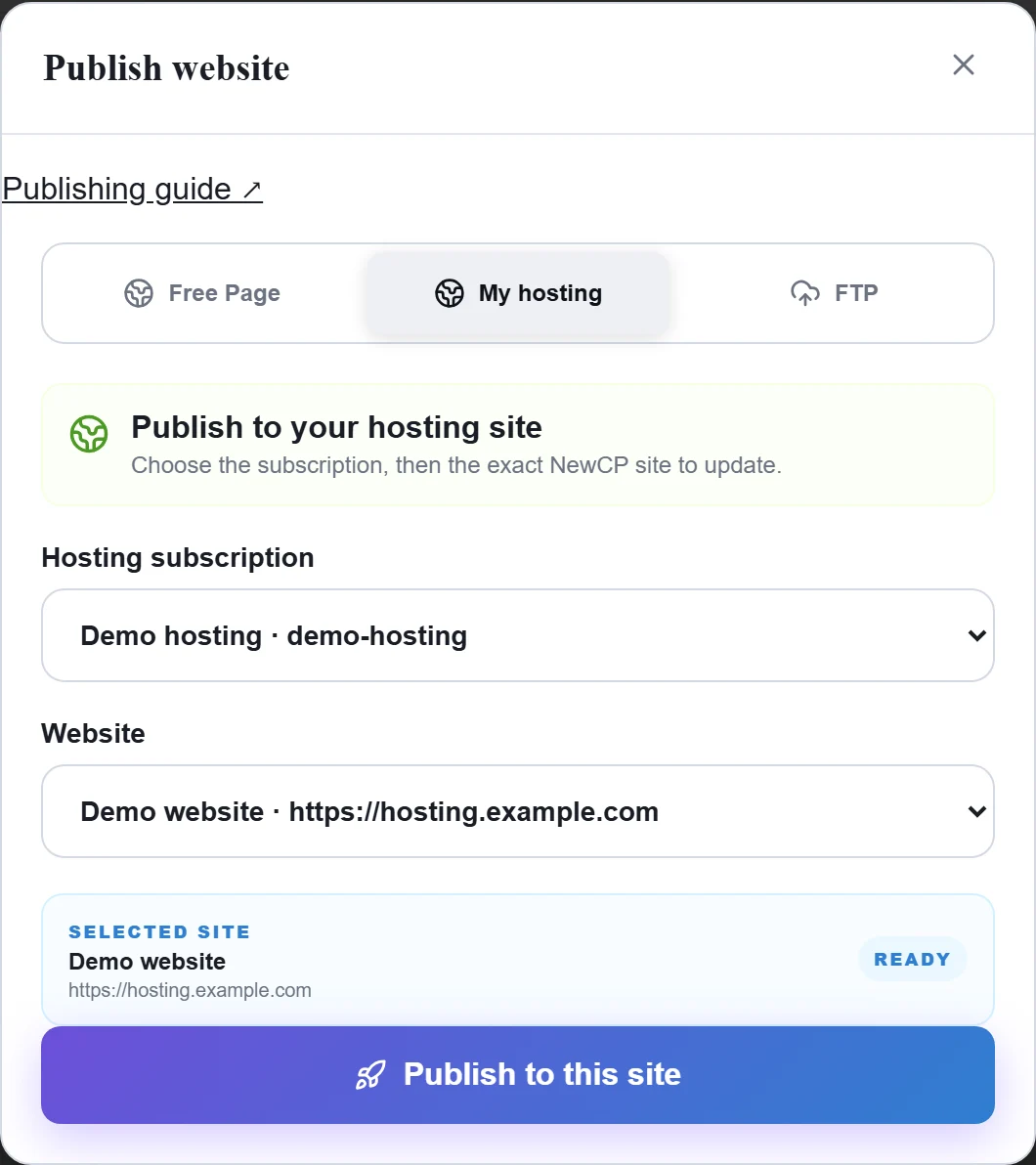
Figure 1: Free Page shows the current published site, allowance and replacement warning. Review the destination before confirming. Demo data; replacement was not submitted. 查看原图 - 选择自己的主机时,先选订阅再选具体 NewCP 网站,确认目标名称后发布。
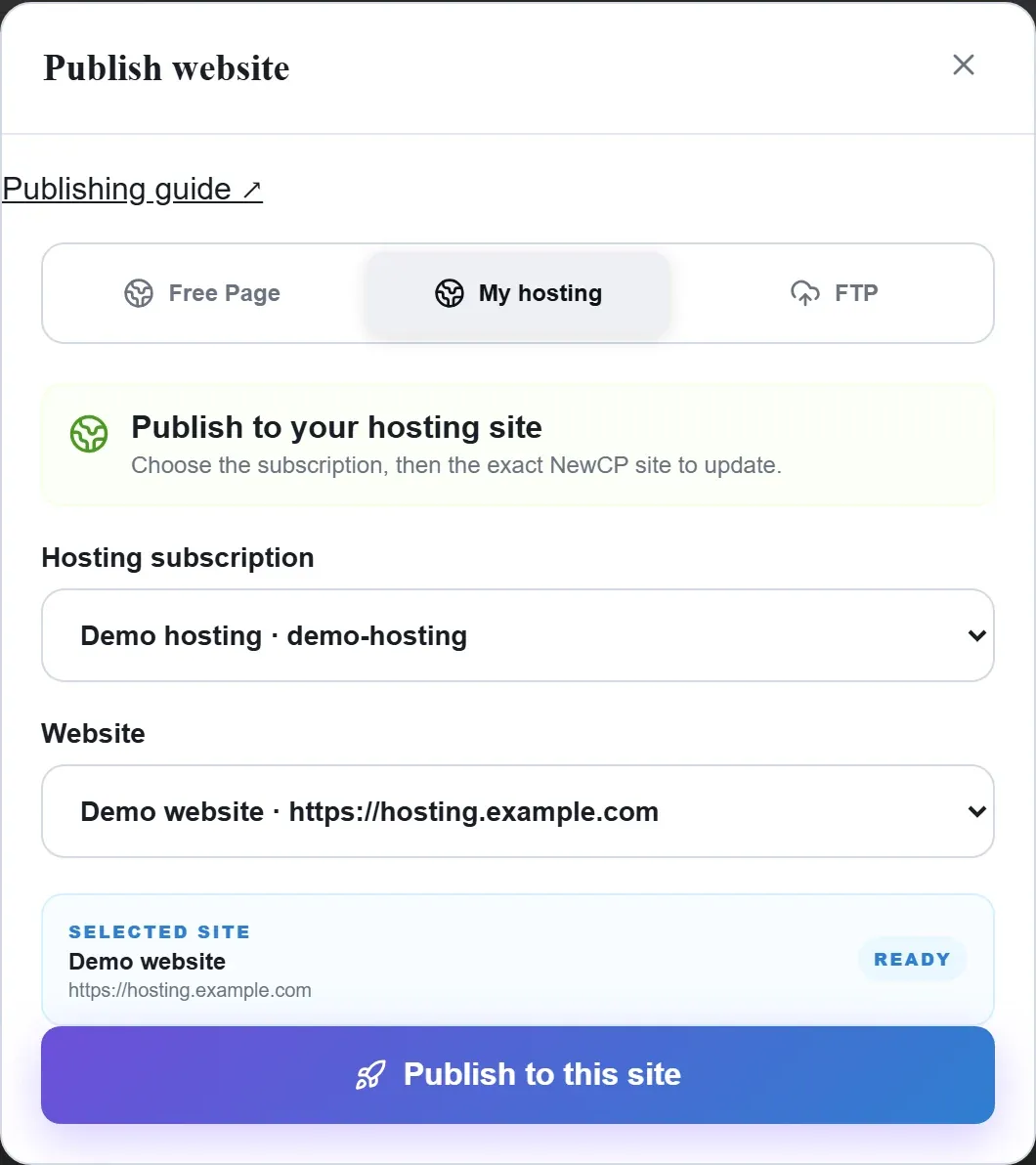
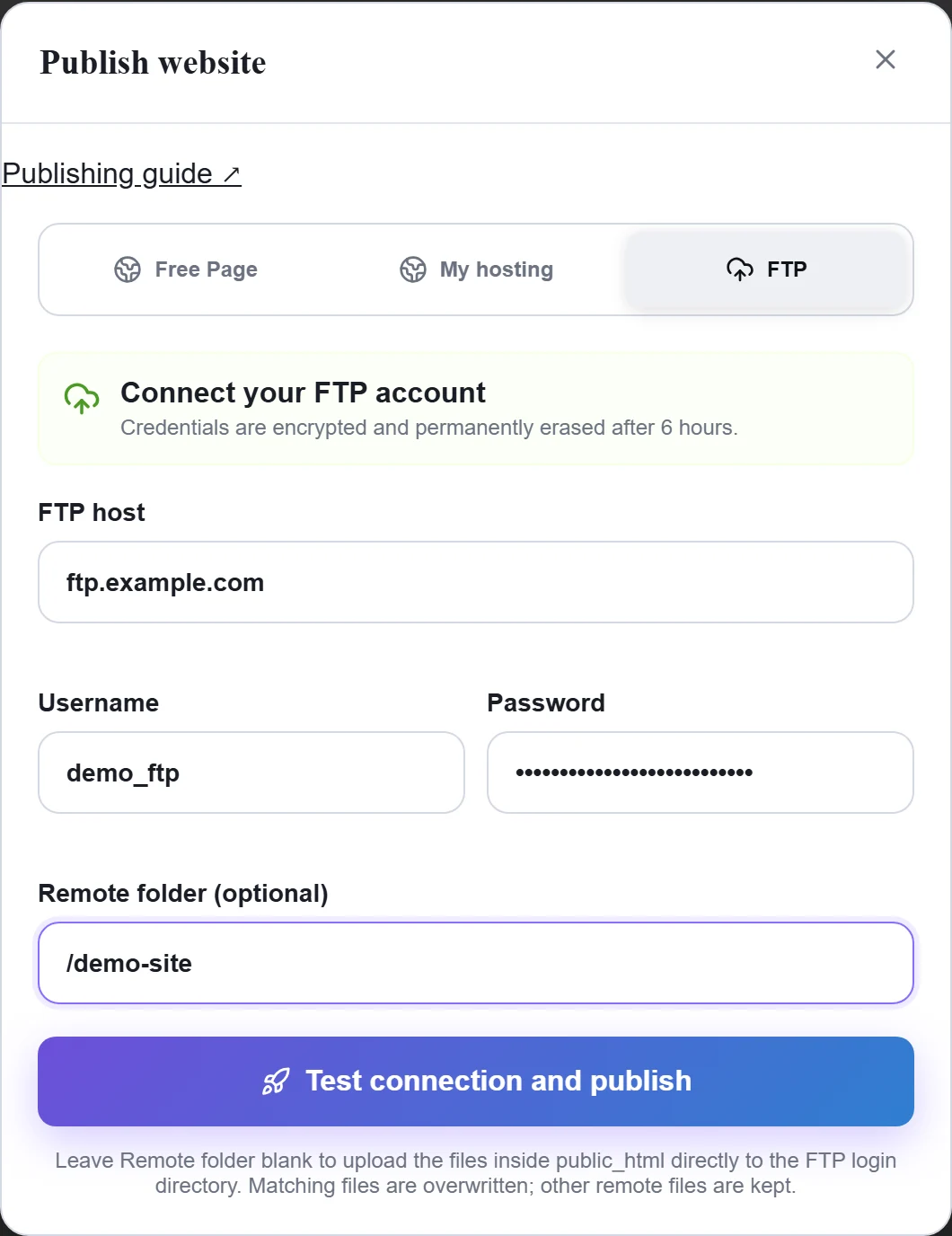
Figure 2: In My hosting, choose the subscription and then the exact website. Confirm the selected site and address. Demo subscription and website; nothing published. 查看原图 - 选择 FTP 时填写实际主机、端口、目录和凭据,先测试连接。当前流程提供 FTP,不假定 SFTP/FTPS 可用。
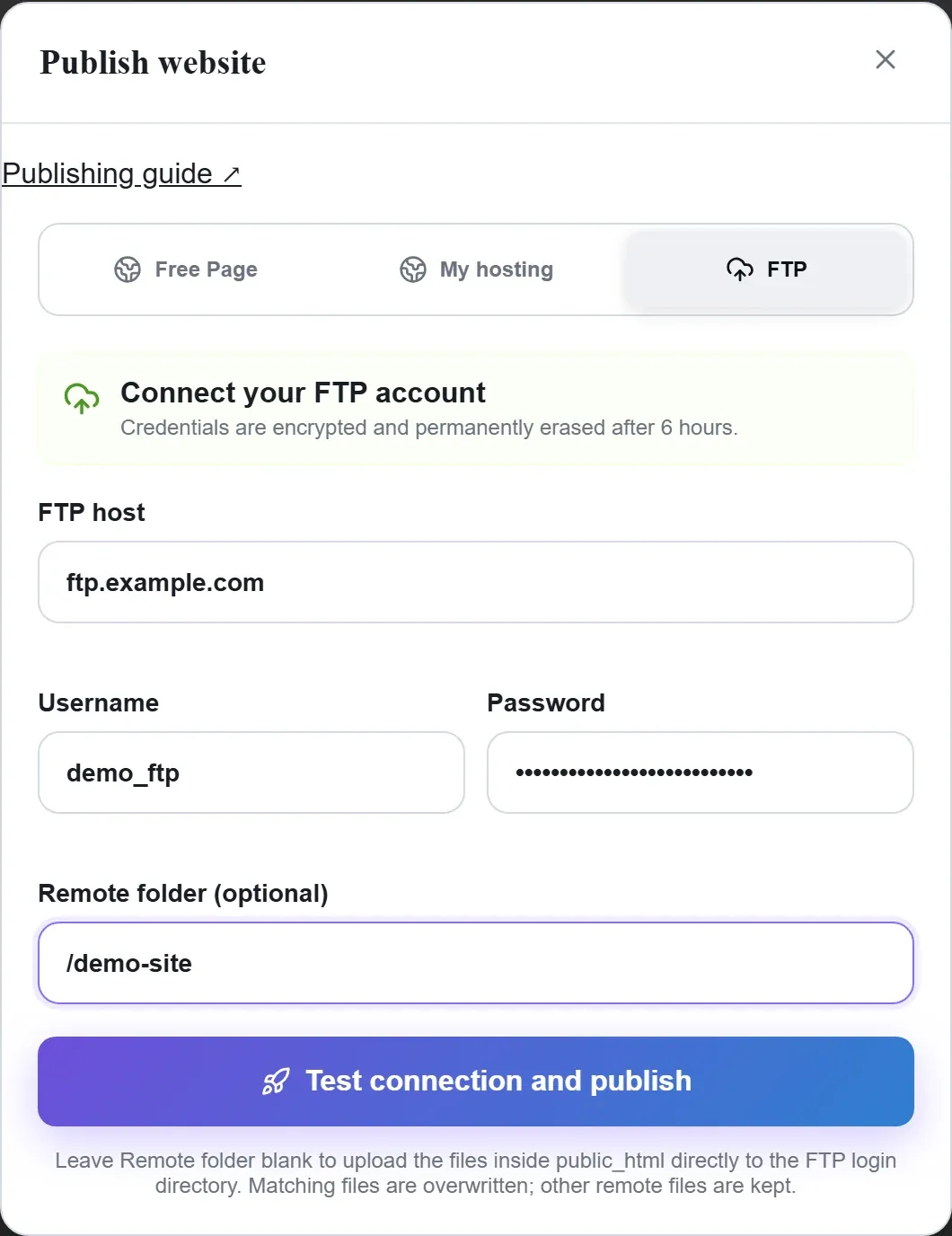
Figure 3: Enter the real FTP connection details and intended remote folder. The shown host, account and password are fictional demo values; no connection or publication performed. 查看原图
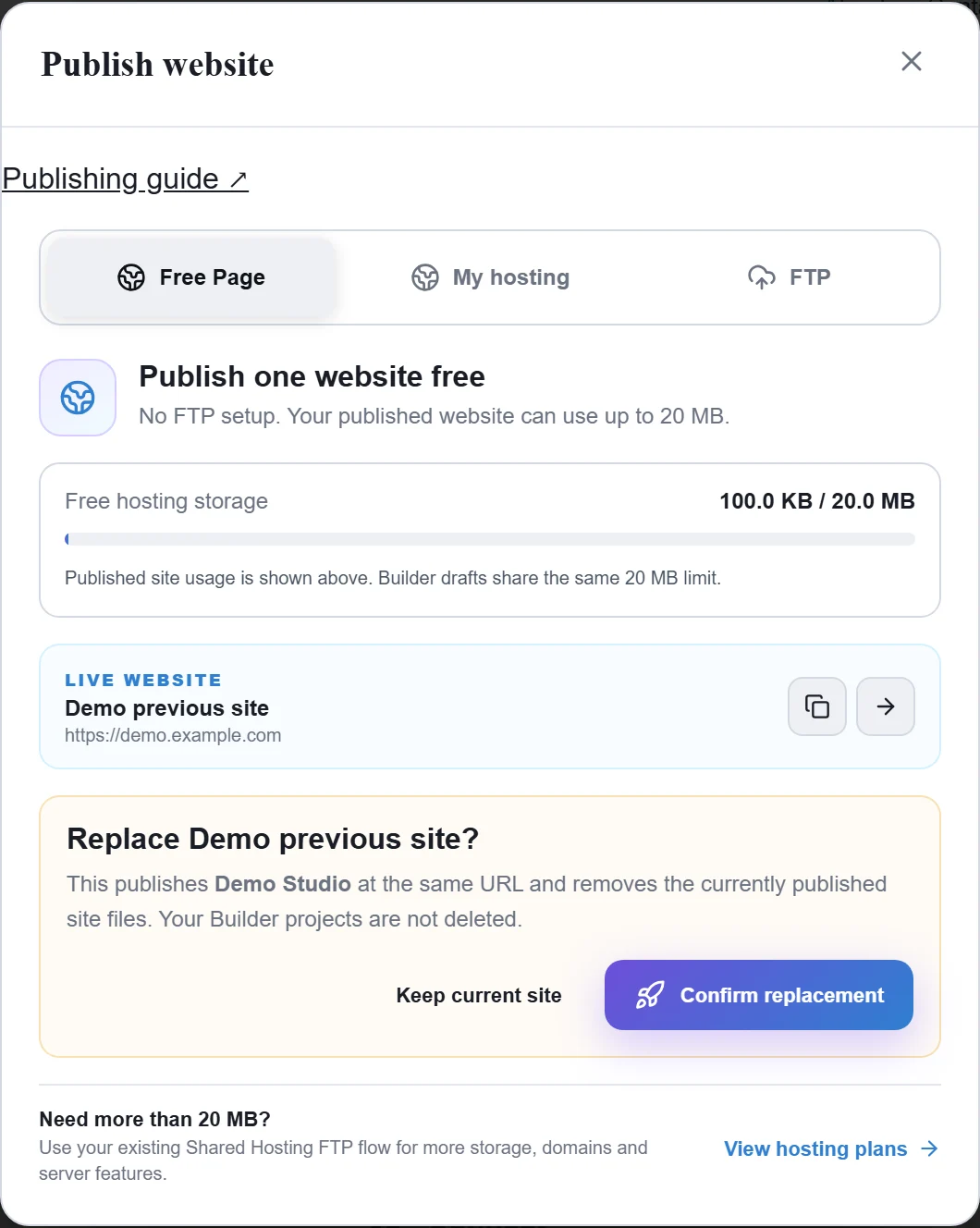
确认完成
- 等待发布完成,再打开返回的公开地址,检查图片、内部链接和表单;预览正常不能替代公开访问验证。
遇到问题时
- 找不到付费网站时,核对购买账号、所选订阅和开通状态;订阅已就绪但没有对应网站时,联系客服或提交工单确认开通结果。
- FTP 失败保留脱敏连接错误;发布后不要只把 Builder 项目当唯一备份,另外保存导出的源码和资产。