查看账单、付款状态与续费设置
核对产品、周期、账单和服务状态,避免重复付款或误认服务已开通。
适用范围适用于客户中心账务。价格、周期与可选付款方式以实际结账页面为准。
本页目录
开始前准备
- 准备订单或账单编号。先确认你购买的是主机、VPS、独立服务器、域名还是 AI 额度。
- 账号余额与 AI 额度用途不同;余额充值不等于自动购买了某个产品。
操作步骤
- 打开客户中心的账单页面,查看待支付账单、历史记录和余额流水。
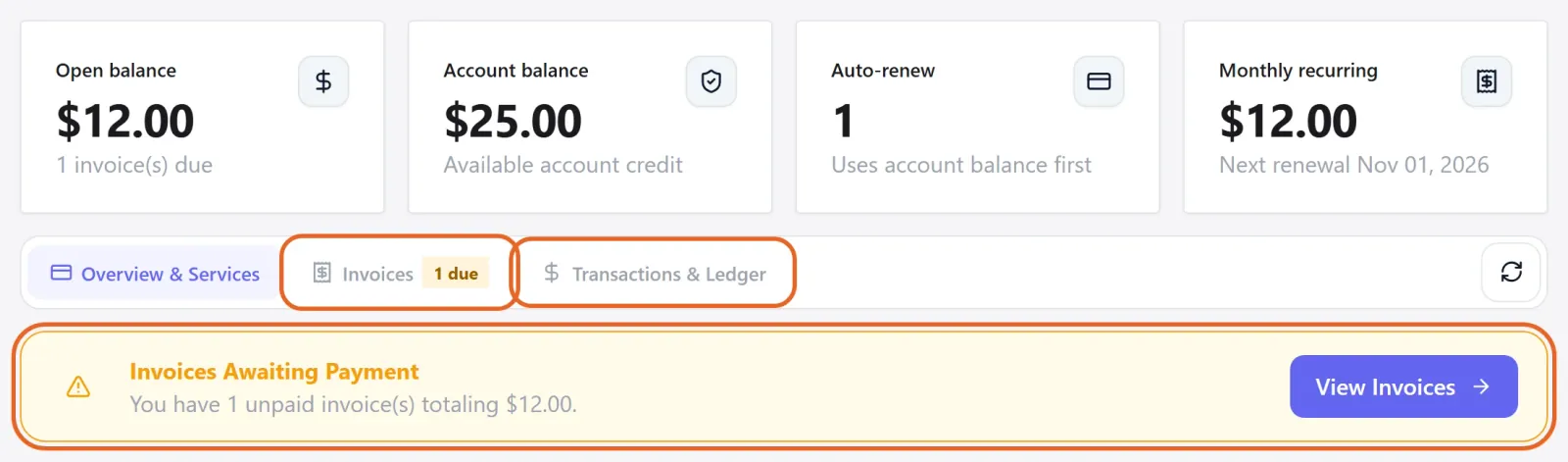
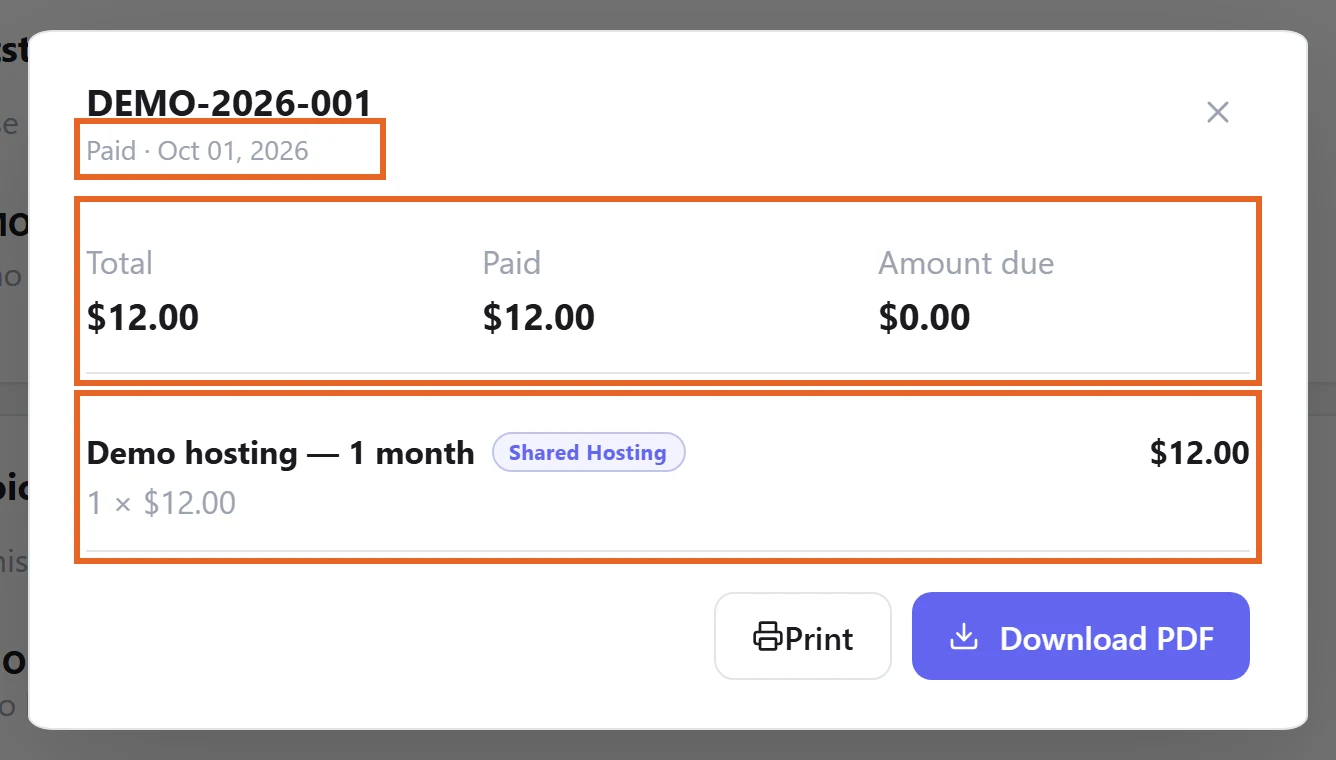
Figure 1: Open Invoices for outstanding invoices and history, or Transactions & Ledger for balance activity. Demo data only. 查看原图 - 付款前核对产品、金额、周期和币种。完成付款后回到账单页确认状态,再查看服务是否已准备完成。
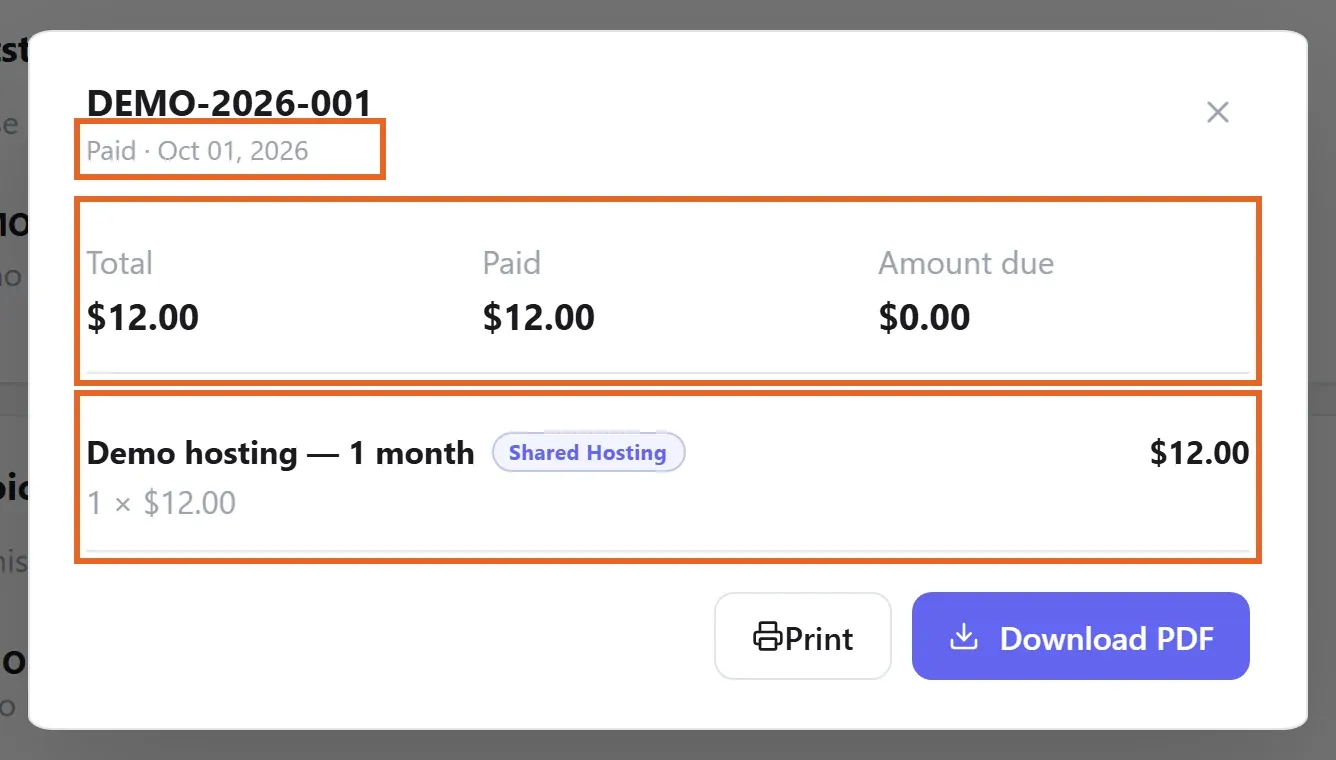
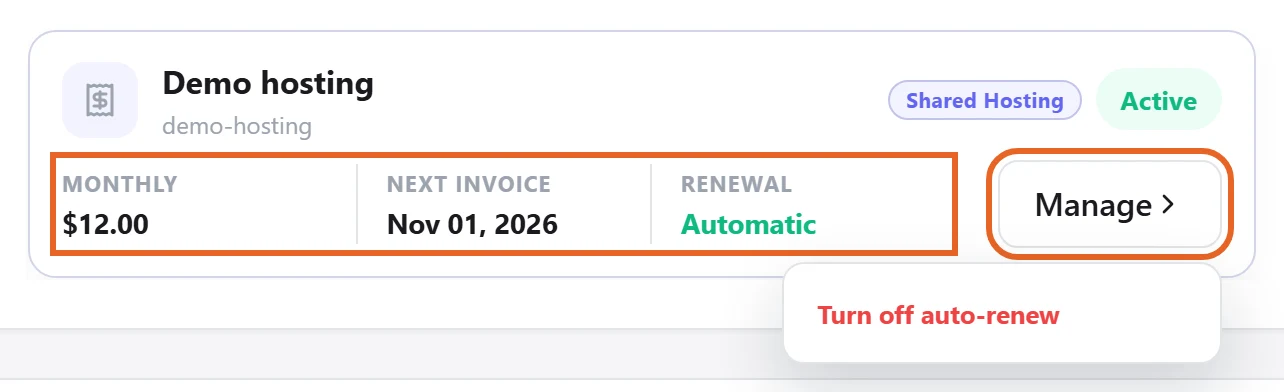
Figure 2: Open an invoice in Invoices to check the product and amounts. This example shows Paid with zero Amount due. Demo data only. 查看原图 - 在服务的续费设置中核对当前选择与下一次到期信息;不要只根据邮件或银行扣款判断。
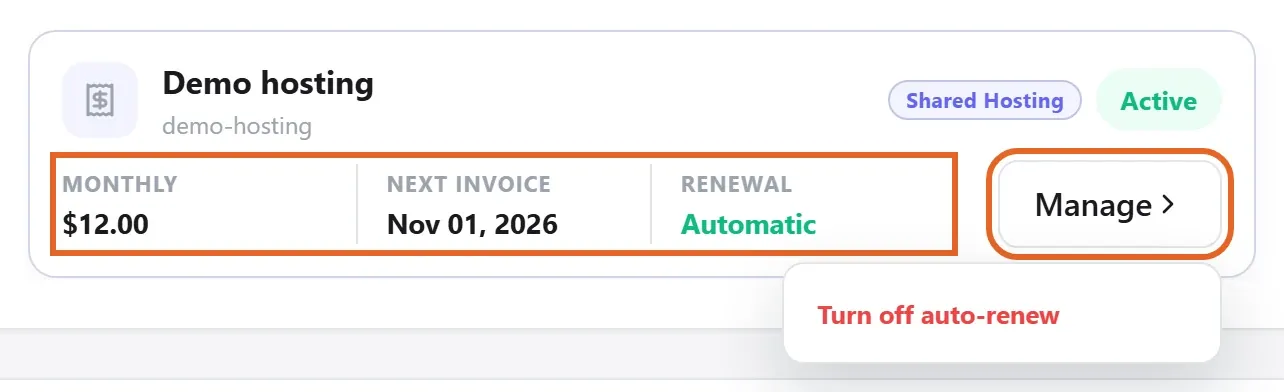
Figure 3: In Overview & Services, check Next invoice and Renewal. Manage opens the renewal options. Demo data only. 查看原图
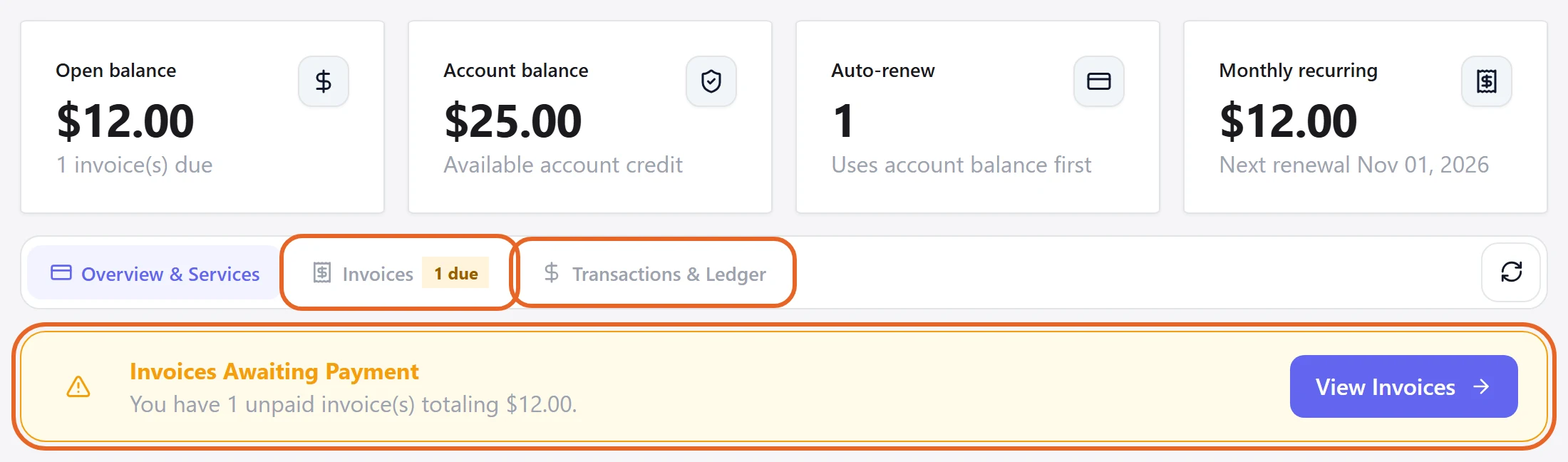
确认完成
- 账单支付状态应与支付结果一致。需要配置或人工交付的产品,还要等待相应服务状态或交付消息。
遇到问题时
- 扣款后仍待付款时,提供账单编号、时间与脱敏的支付凭据,请支持核对;不要马上再付一次。
- 取消、退款、变更周期或余额用途不明确时,先联系支持确认具体订单的处理方式。